How the Internet Works
What happens in the second after you click a link: packets, IP addresses, routers, DNS, undersea cables and encryption, and how the internet began.
Tap a link on your phone and, usually within a second, a page appears that might be stored on a computer thousands of kilometers away. In that second, your request has been chopped into small pieces, addressed, passed between dozens of machines owned by different companies, possibly sent as flashes of light along a cable on the ocean floor, reassembled, answered and returned. Nobody steered it. No single company or government runs the whole thing.
The internet is not one network but tens of thousands of independent networks that have agreed to speak a common language. This article explains the key ideas that make it work, follows a single web request step by step and tells the story of how a small research project became the backbone of modern life.
A network of networks
Your home Wi-Fi is a small network. Your internet provider runs a much bigger one. So do universities, mobile carriers, cloud companies and governments. The internet is what you get when all of these networks connect to each other and agree to pass along each other's traffic.
They connect at places called internet exchange points, buildings packed with equipment where networks plug into one another, and through private links. Each large network is known as an autonomous system, and they announce to each other which addresses they can reach using a protocol called BGP (Border Gateway Protocol). In effect, the networks constantly share a map of who can deliver what.
Packets: the big idea
Old telephone systems used circuit switching: when you made a call, a dedicated line was reserved between you and the other person for the whole conversation, even during silences.
The internet uses packet switching instead. Data is broken into small chunks called packets. Each packet carries a header with its source and destination address, like an envelope. Packets travel independently, can take different routes and are reassembled at the other end.
The idea was developed independently in the 1960s by Paul Baran in the United States, who was studying how to build communications that could survive damage, and Donald Davies at Britain's National Physical Laboratory, who coined the term "packet." Packet switching makes efficient use of links, because many conversations share the same wires, and it is resilient: if one route fails, packets can be sent another way.
The layers that make it work
Engineers think about the internet as a stack of layers, each doing one job and relying on the layer beneath. A simplified version:
| Layer | Job | Examples |
|---|---|---|
| Application | What you actually want to do | Web (HTTP/HTTPS), email, video calls, DNS |
| Transport | Reliable or fast delivery between programs | TCP (reliable, ordered), UDP (fast, no guarantees) |
| Internet | Addressing and routing packets across networks | IP (IPv4 and IPv6) |
| Link and physical | Moving bits over a single connection | Wi-Fi, Ethernet, mobile radio, fiber optic cable |
The genius of layering is that each layer can change without breaking the others. The same web page can arrive over Wi-Fi, a mobile signal or a fiber line, because the web does not care how the bits travel.
IP addresses
Every device on the internet needs an address so packets know where to go. The original version, IPv4, uses 32-bit addresses, written as four numbers such as 192.0.2.1. That allows about 4.3 billion addresses, which seemed vast in the 1980s but has effectively run out. The newer IPv6 uses 128-bit addresses, enough for roughly 340 undecillion (3.4 × 10³⁸) unique addresses. Both are in use today.
TCP: making delivery reliable
IP does its best to deliver packets but makes no promises: packets can be lost, duplicated or arrive out of order. TCP (Transmission Control Protocol) sits on top and fixes that. It numbers each packet, waits for acknowledgments, resends anything that goes missing and slows down if the network is congested. Vinton Cerf and Robert Kahn published the design that became TCP/IP in 1974.
DNS: the internet's address book
Humans like names; computers need numbers. The Domain Name System, introduced in the early 1980s, translates names such as example.org into IP addresses. It is a distributed, hierarchical system: no single server knows every name, but each knows where to ask next. The overall coordination of names and addresses is overseen by an organization called ICANN, working with regional registries.
What happens when you click a link
Here is a simplified journey for a single web page request:
- You click. Your browser sees a web address (a URL) and needs to know which server holds that site.
- DNS lookup. Your device asks a DNS resolver, often run by your internet provider, to translate the domain name into an IP address. The resolver may already know, or it may ask a chain of servers until it finds the answer.
- Connection. Your browser opens a TCP connection (or a newer equivalent) to that address, and the two sides exchange a few messages to agree to talk.
- Encryption. For an HTTPS address, your browser and the server perform a TLS "handshake," exchanging keys so that everything after this point is encrypted. The mathematics behind this is introduced in our archive article on codes and ciphers.
- Request. Your browser sends an HTTP request: "Please send me this page."
- Routing. The request, split into packets, hops from router to router. Each router looks at the destination address and forwards the packet to the next best hop. A request might pass through ten or twenty routers.
- Response. The server sends back the page's HTML, along with images, styles and scripts, often from several servers, including nearby caches called content delivery networks.
- Assembly. Your device reassembles the packets in the right order and your browser draws the page.
All of that usually takes well under a second.
The physical internet
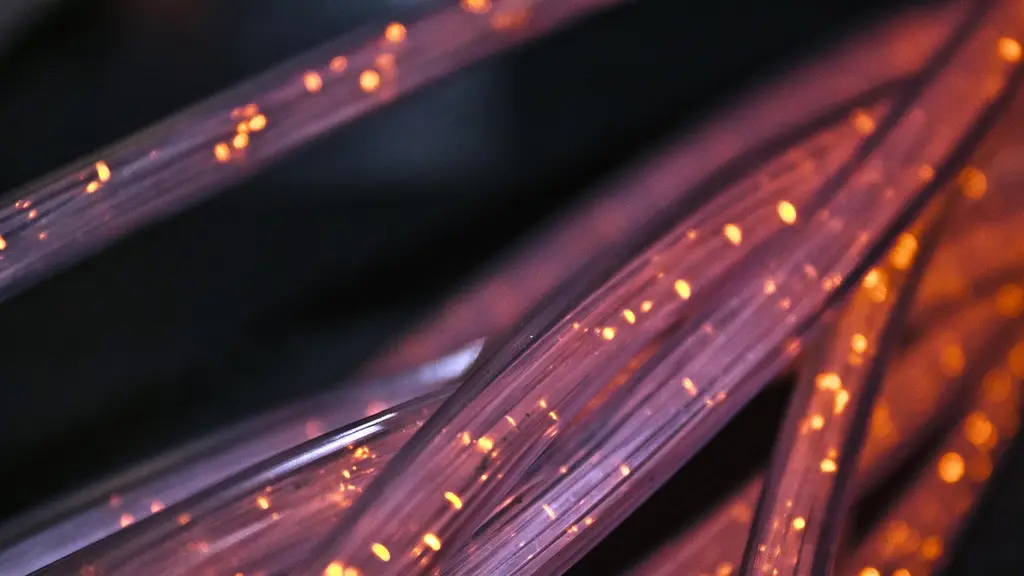
The internet can feel weightless, but it is very physical. Data travels as electrical signals in copper, radio waves through the air and, for long distances, pulses of light in optical fibers: strands of glass thinner than a human hair. How lasers and fiber transformed communication is explained in our archive article Light Through Glass.
Between continents, the overwhelming majority of data travels not by satellite but through submarine cables laid across the seafloor, some stretching for many thousands of kilometers. Satellites play an important and growing role in reaching remote places, but cables carry the bulk of global traffic.
At the ends of all these cables are data centers: warehouses full of servers that store websites, videos and cloud services, consuming significant amounts of electricity for computing and cooling.
From ARPANET to the web: a short timeline
- 1960s: Baran and Davies develop packet switching.
- 1969: The U.S. Advanced Research Projects Agency's ARPANET connects its first computers. On October 29, a student at UCLA tries to log in to a computer at the Stanford Research Institute; the system crashes after two letters, so the first message is "lo."
- 1974: Cerf and Kahn publish the TCP/IP design.
- 1983: ARPANET switches to TCP/IP on January 1, often considered the birth of the modern internet. The Domain Name System is designed the same year.
- 1989: Tim Berners-Lee, at CERN, proposes an information system that becomes the World Wide Web.
- 1991: The web becomes available beyond CERN.
- 1993: CERN declares that web technology can be used freely by anyone, with no fees, helping it spread rapidly.
- 2000s onward: Broadband, Wi-Fi and smartphones put the internet in billions of pockets.
The internet and the web are not the same
People often use the words interchangeably, but they are different. The internet is the global network infrastructure: the cables, routers and protocols that move packets. The web is one service that runs on top of it, made of linked pages you view in a browser. Email, video calls, online games and app data also use the internet without being "the web."
Key ideas and questions
- The internet is a network of networks that agree on shared rules (protocols).
- Data travels in packets that find their own way and are reassembled at the destination.
- IP handles addressing and routing; TCP makes delivery reliable; DNS turns names into numbers.
- It is a very physical system of cables, radio links and data centers.
Questions to discuss: Why might packet switching survive a damaged network better than a single dedicated line? What do you think happens if a DNS server stops working? Why is it important that no single organization controls the whole internet? For the machines at either end of all this traffic, read How Computers Evolved, or browse more stories in technology and inventions.
Sources and further reading
- Brief History of the Internet, Internet Society
- A Little History of the World Wide Web, World Wide Web Consortium (W3C)
- Internet History, Computer History Museum
- Internet, Encyclopaedia Britannica
- ICANN, Internet Corporation for Assigned Names and Numbers